TopReach for iPhone and Android
Your sales line, in your pocket.
Power and parallel dial your list from anywhere, with the script and the lead on screen. Your business numbers ring on your cell, your texts live in one inbox, and every call lands in the CRM.
- Power and parallel dialing
- Your business numbers, not your personal one
- Included with every seat
At a glance
- What it is
- Native TopReach apps for iPhone and Android: power and parallel dialing, the call script and lead card, your business numbers, one texting inbox, Today, contacts and deals.
- Price
- Free to download and included with every TopReach seat ($55 a month, or $49 billed yearly). Calling uses the $99-a-month phone license you already have, with 3,000 minutes a month.
- How calls connect
- Calls run through the app over Wi-Fi or mobile data from your team's business numbers. Incoming business calls ring like any other call.
- Same workspace
- The app uses your TopReach account. Contacts, deals, calls and texts are the same on the web and on your phone, always in sync.
- Security
- Unlock with Face ID on iPhone or your fingerprint or face on Android. Sign in with email, Apple (iPhone) or Google.
- What it doesn't do
- The app doesn't call through your SIM or your phone plan's minutes, and it has no AI agents that make or answer calls.
What's in the app
The whole sales day, away from the desk
Everything a rep needs to dial, follow up and move deals, built for the phone and sharing one workspace with the web app.
Power and parallel
Dial your list from a coffee shop or between showings
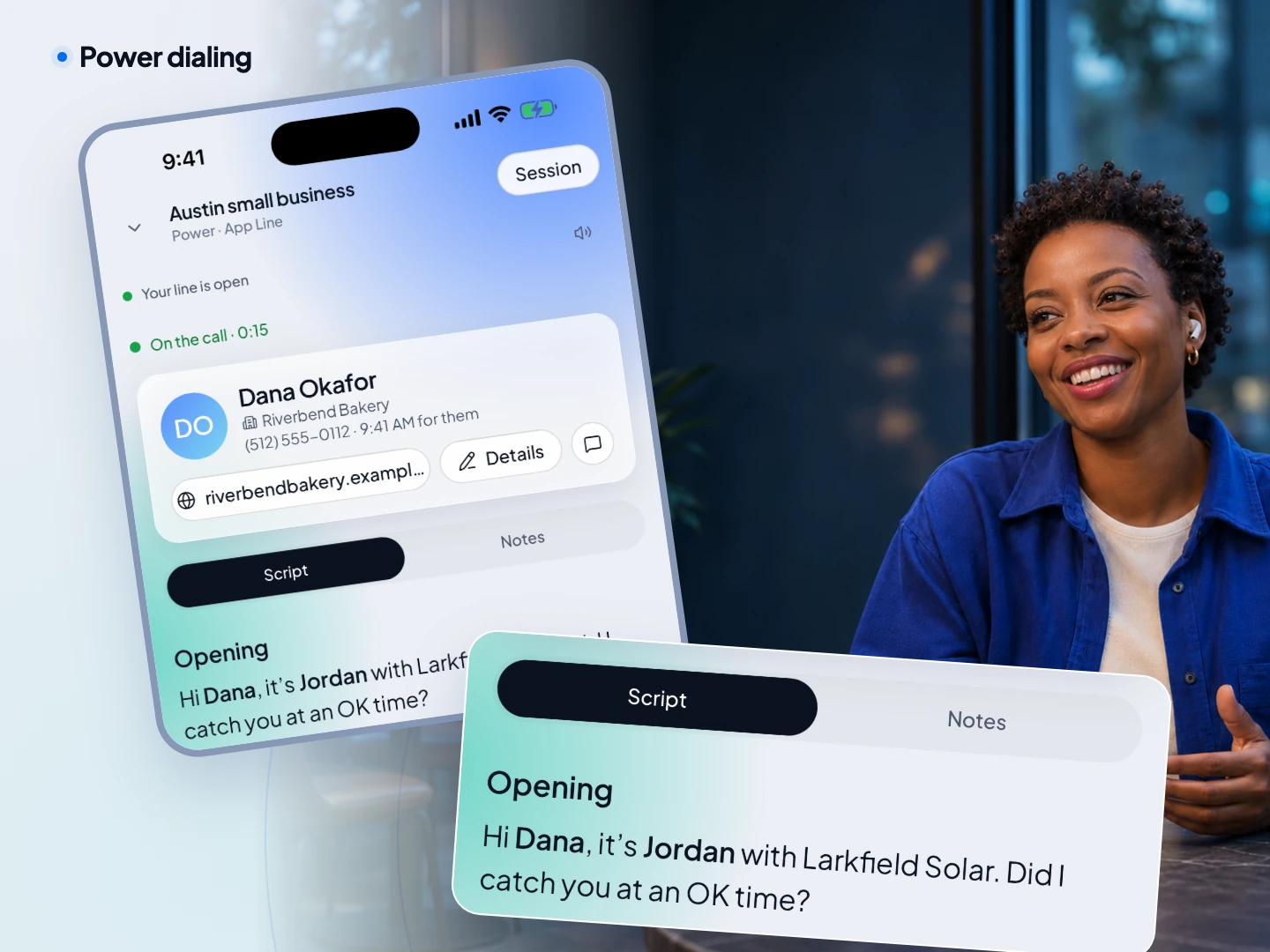
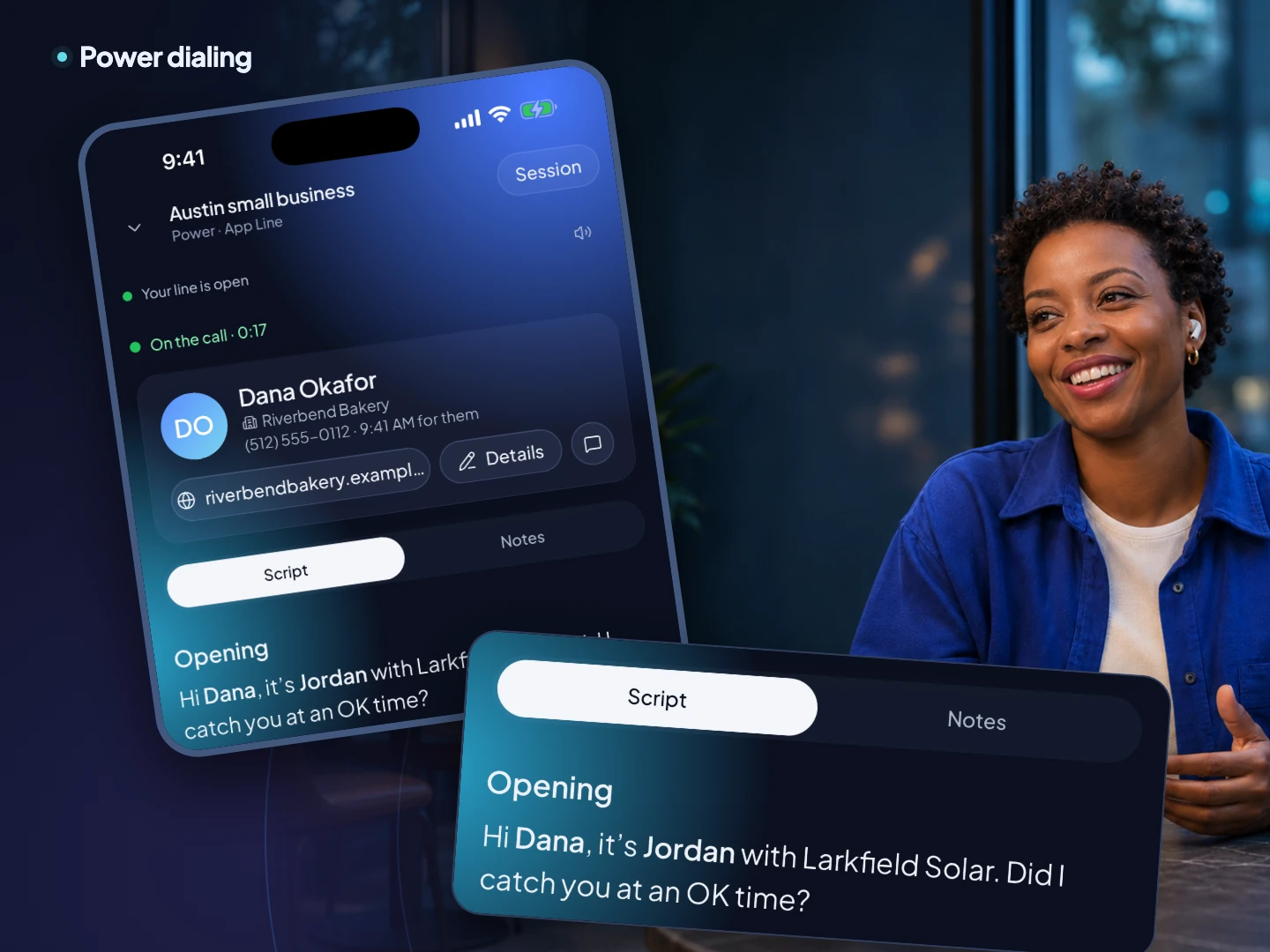
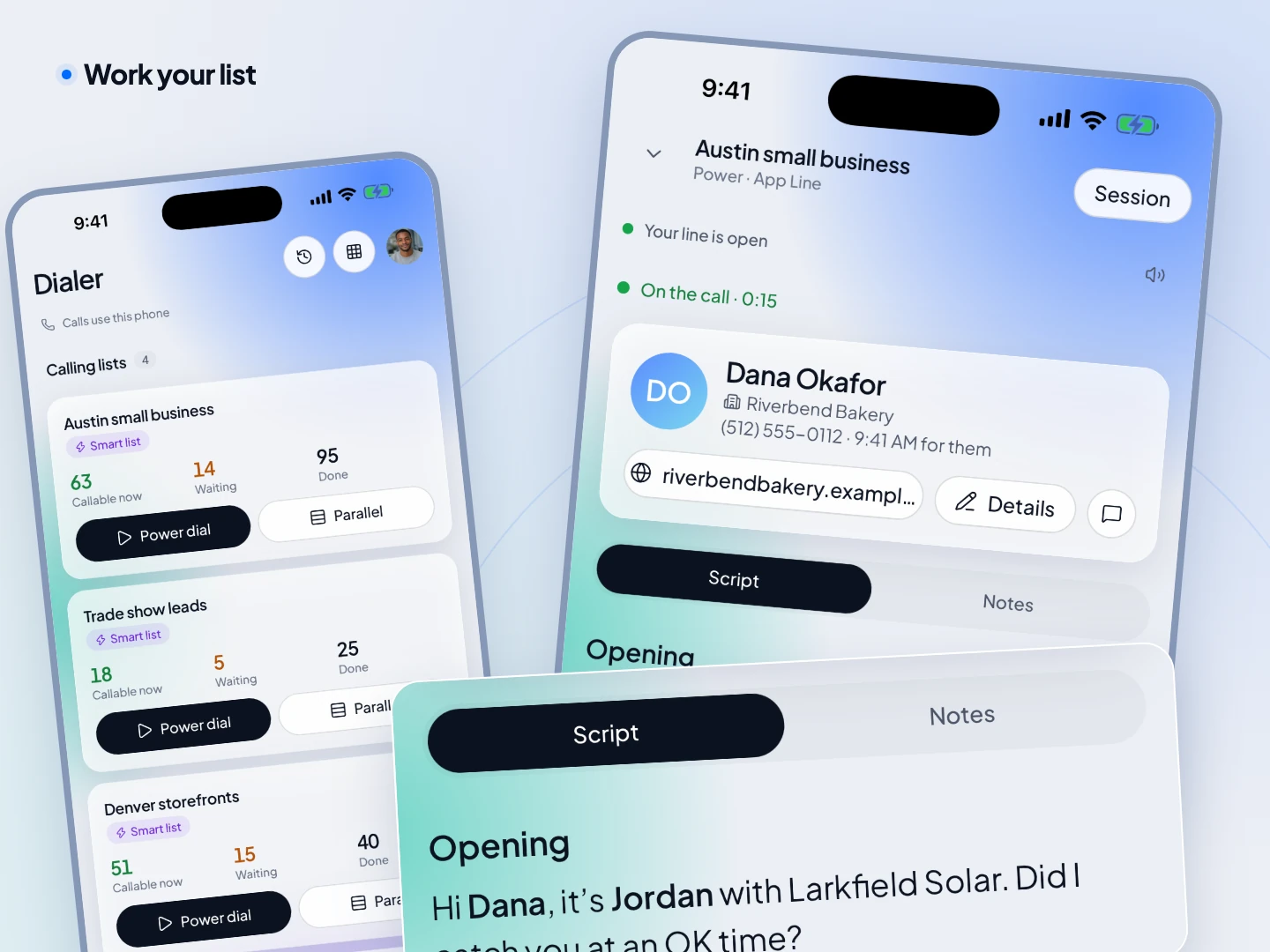
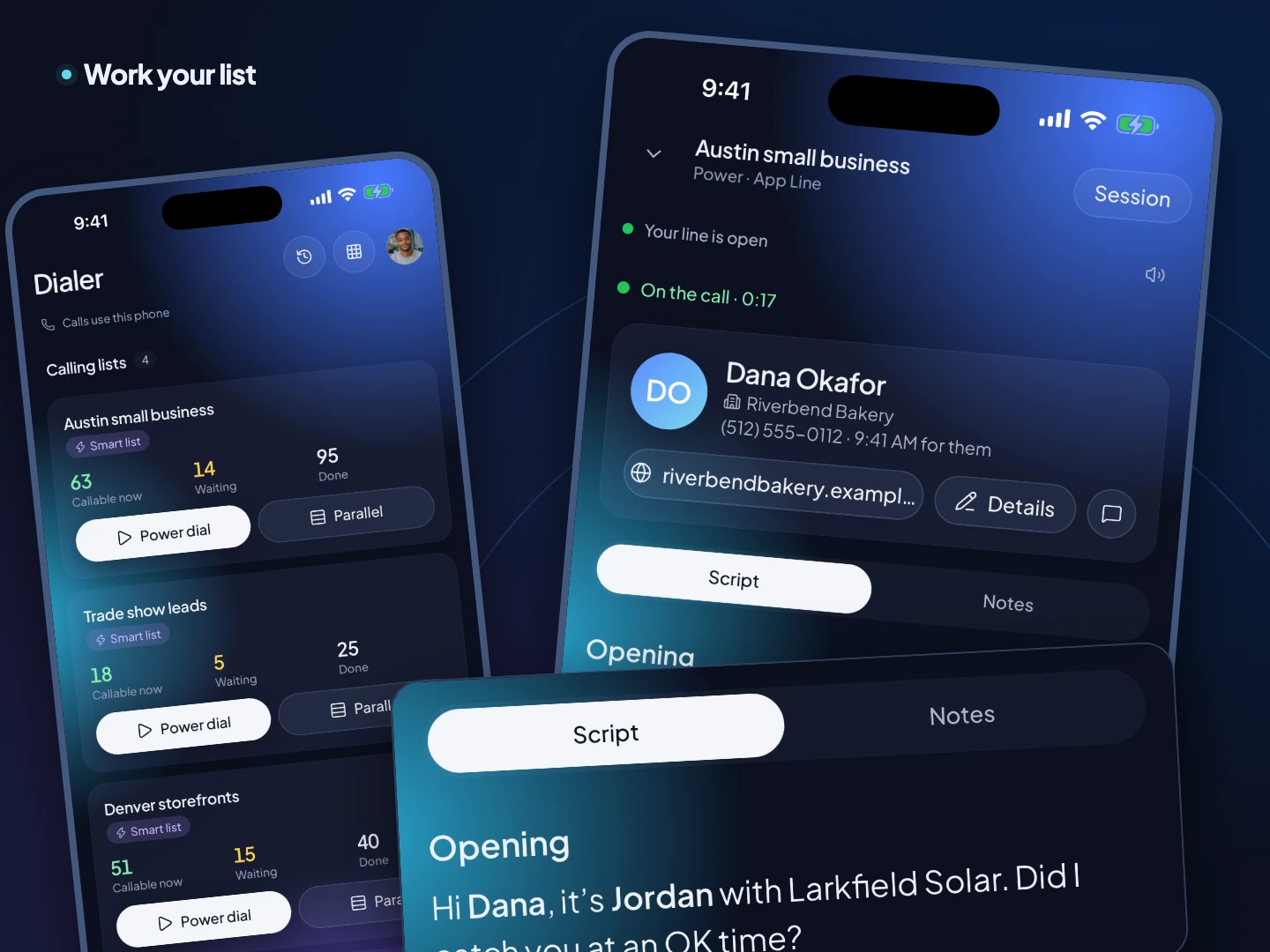
Start a power session and TopReach calls one lead after another while you talk. Go parallel to ring several leads at once and talk to whoever picks up. It's the same dialer as the web app, on the phone you already carry.
- ✓Pick a call list and tap Power or Parallel
- ✓Who's up next, the live call and the script on one screen
- ✓Calls run through the app and ring like a normal call
Parallel dialing
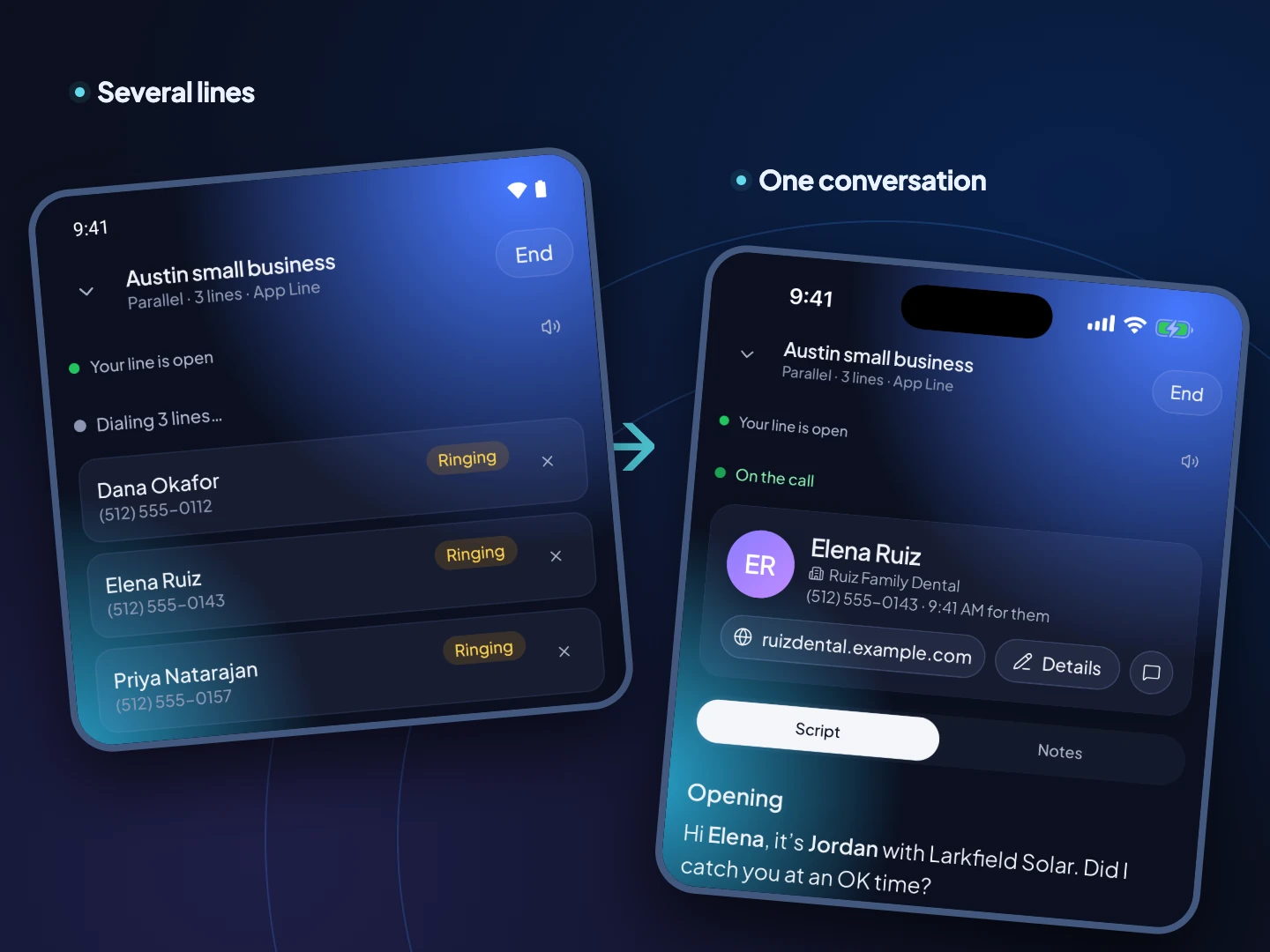
Ring several leads at once, talk to the one who answers
Parallel mode calls a few numbers at the same moment and connects you to the first person who picks up, so a big cold list moves several times faster. Keep it for cold lists: when two people answer together, one gets dropped.
Mobile parallel dialer →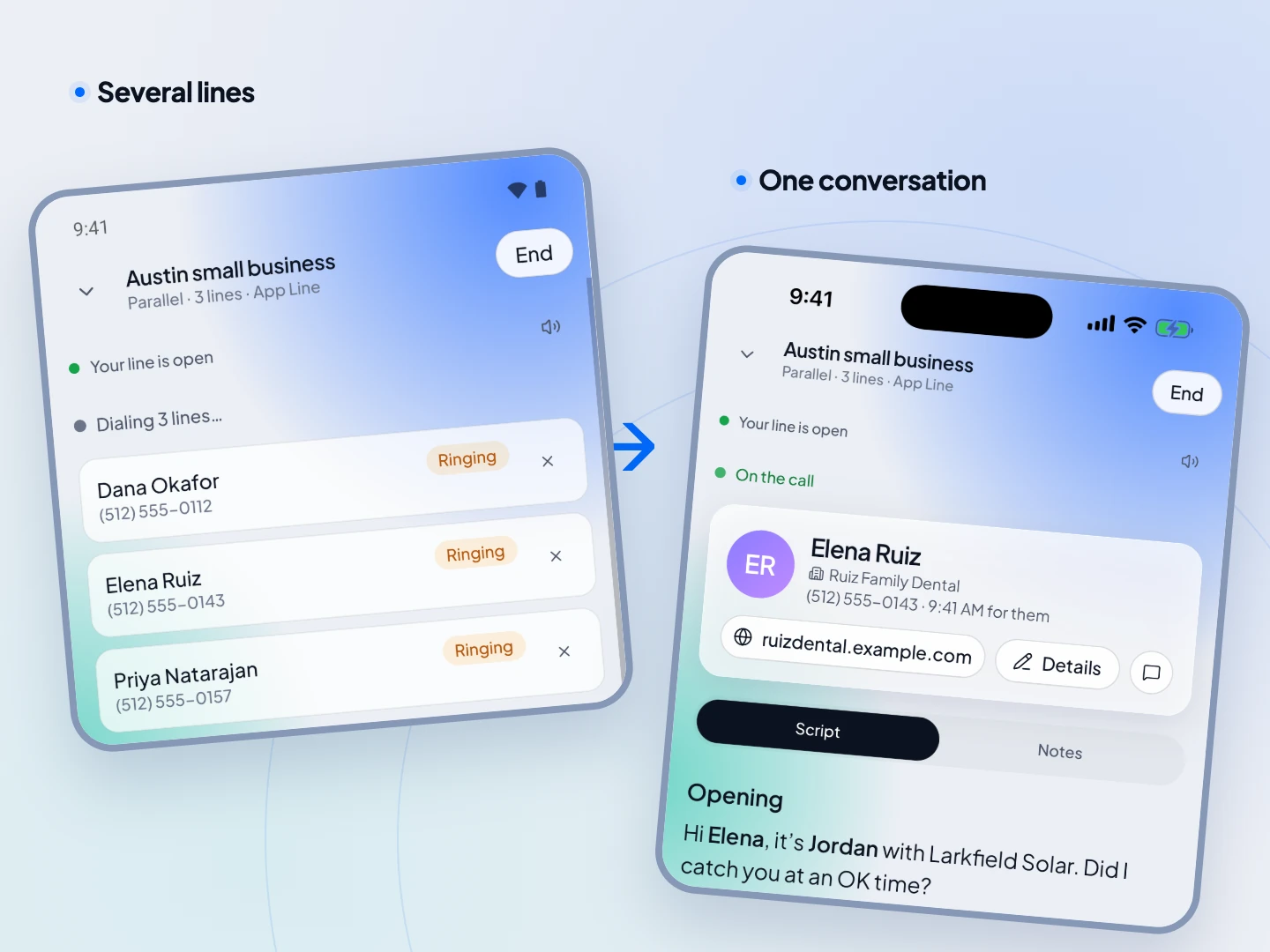
The script and the lead
Know what to say and who you're talking to
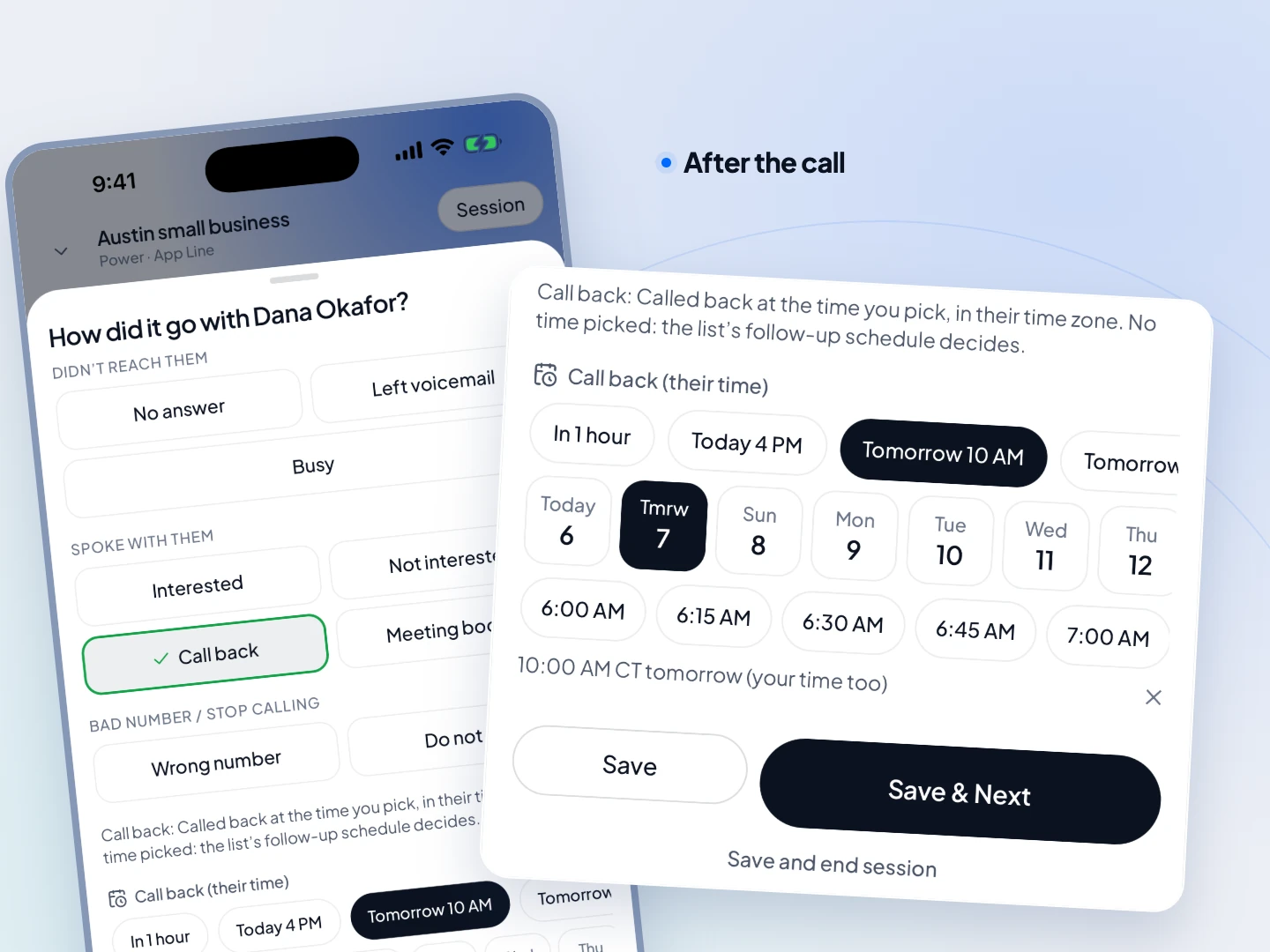
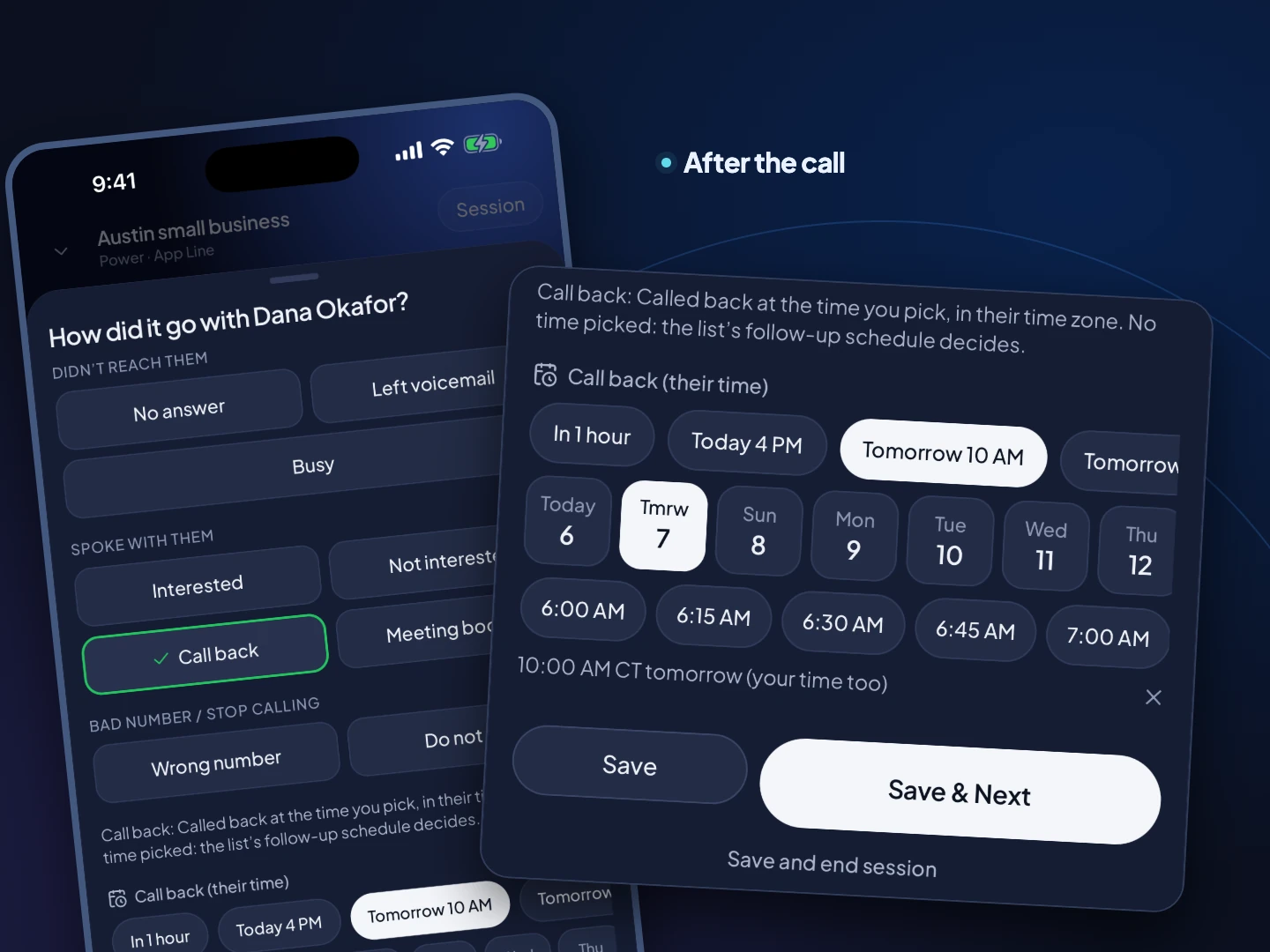
The lead card and your call script sit on the call screen, with the lead's name and company filled in. When the call ends, tap the outcome, pick a callback time and you're on to the next lead.
- ✓Script and lead details on the call screen
- ✓Outcomes and callbacks in a couple of taps
- ✓Everything saves to the contact's timeline
Your business line on your cell
Call and text from your business numbers
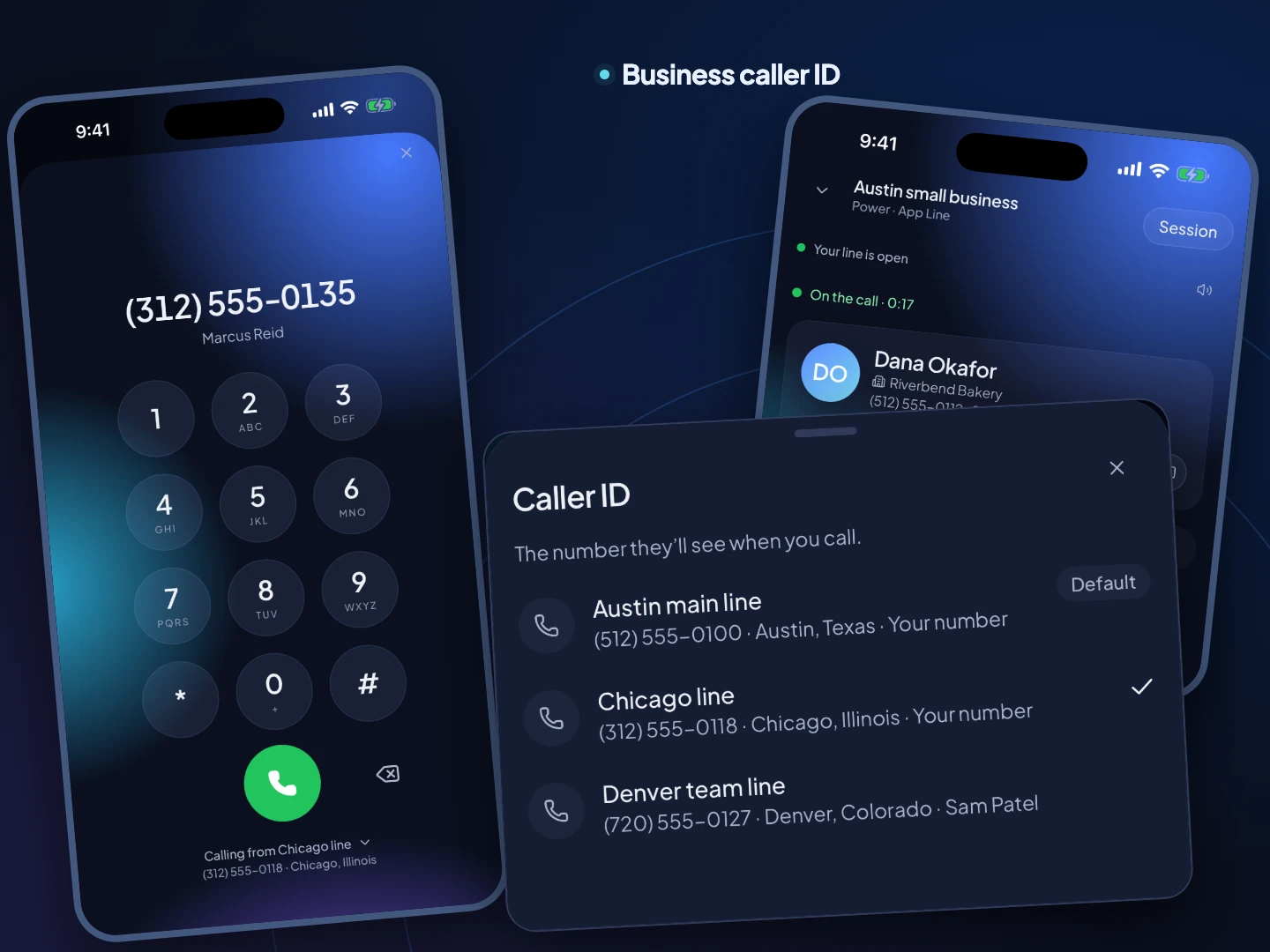
Pick which business number you're calling from on the keypad, and your personal number stays private. Incoming calls to your business numbers ring like any other call, so you never miss a lead because you stepped away from the desk.
A second business number on your phone →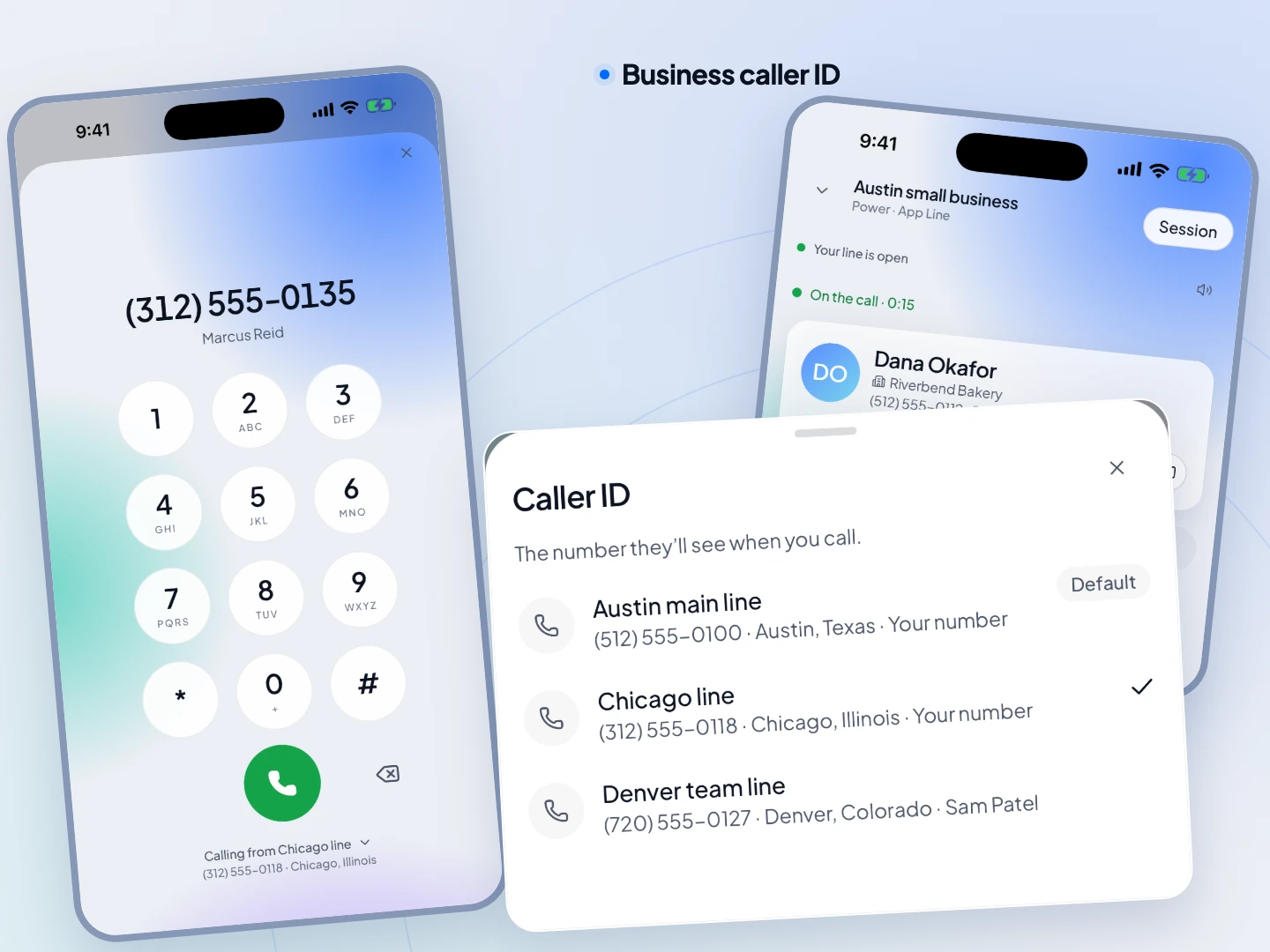
Local presence comes with you
Leads see a number from their own area code
With local presence on, every call from your phone shows one of your team's numbers with the lead's area code, or one from their province or state, just like on the web. The same number shows on every follow-up, so they recognize you.
How local presence works → Elena RuizMiami, FLfrom 305
What Owen sees
One inbox
Every business number's texts in one place
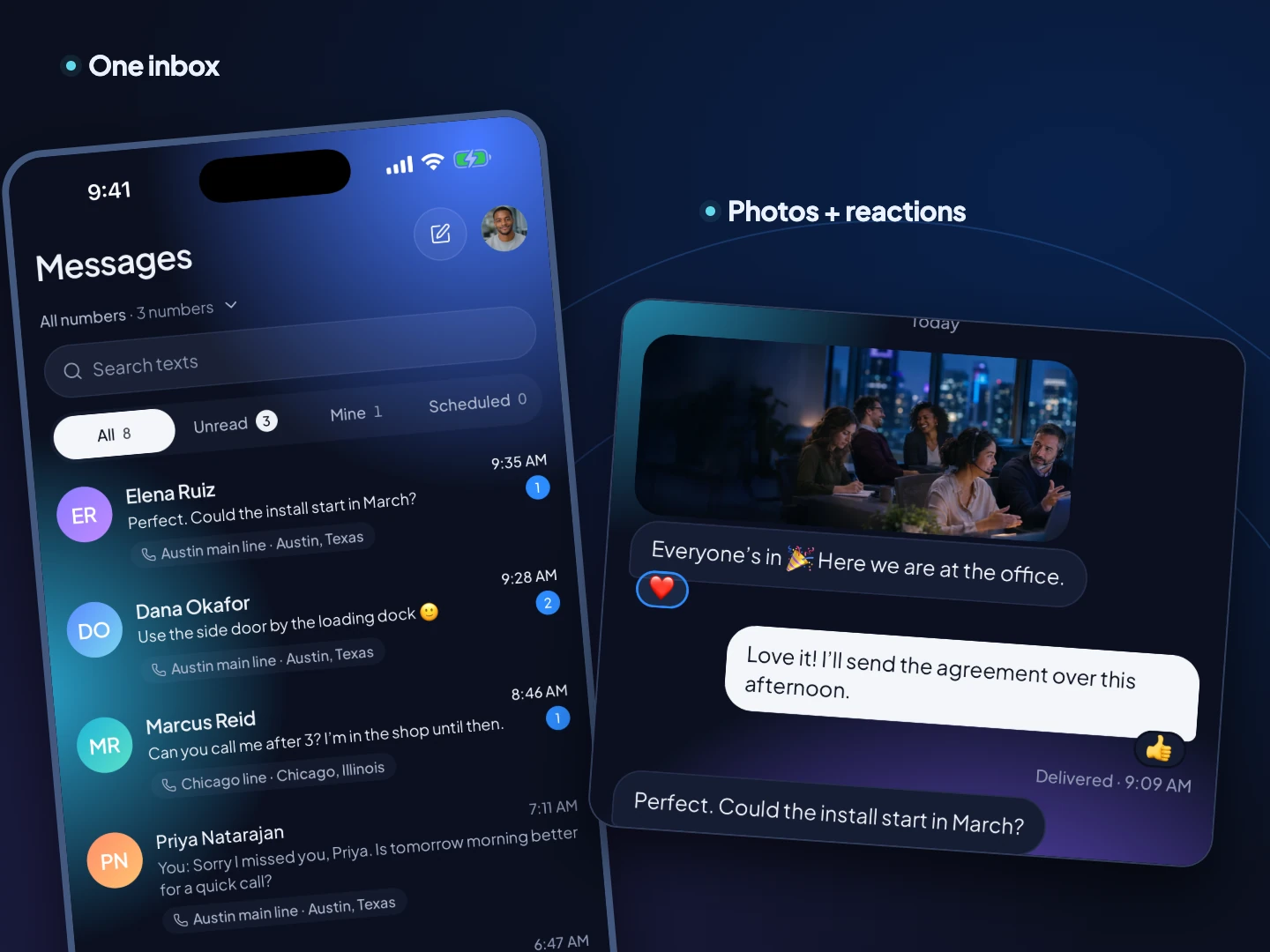
Texts across all your numbers, newest first, each conversation tagged with its line. Send photos, react, add emoji and open links with a preview. Notifications for new texts, missed calls, voicemails and tasks.
Business phone app with a CRM →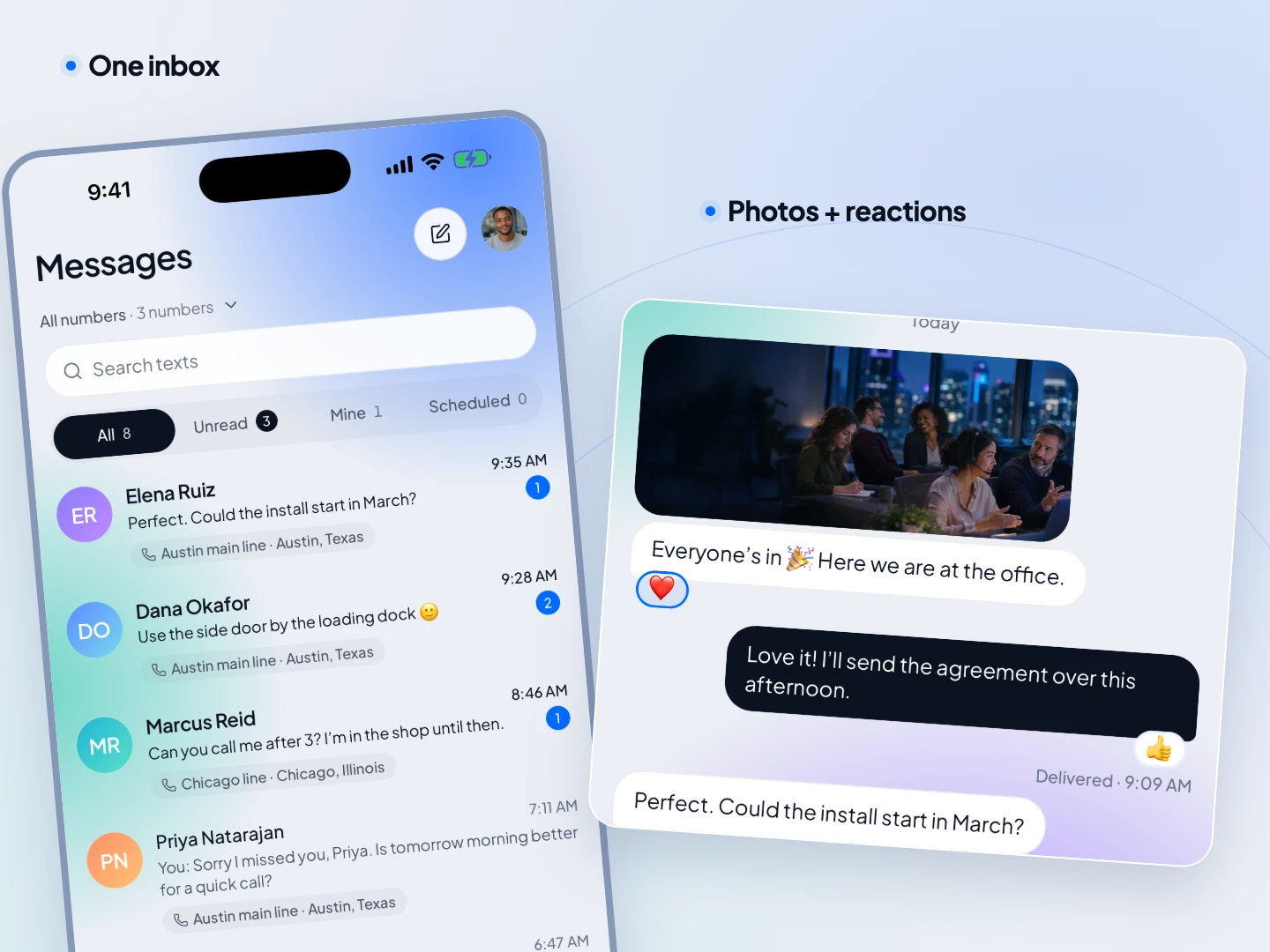
Your day
Today lines up what needs you
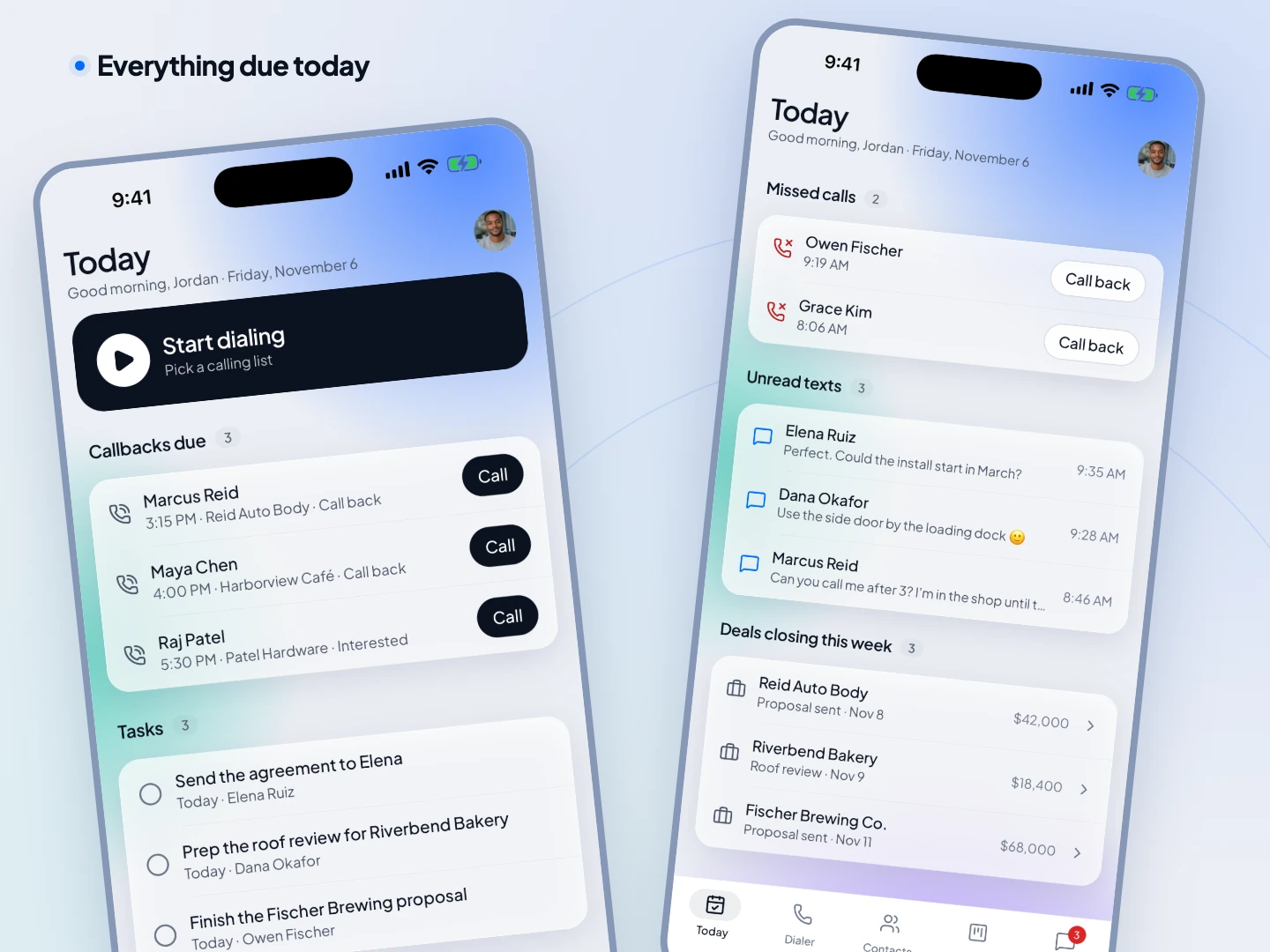
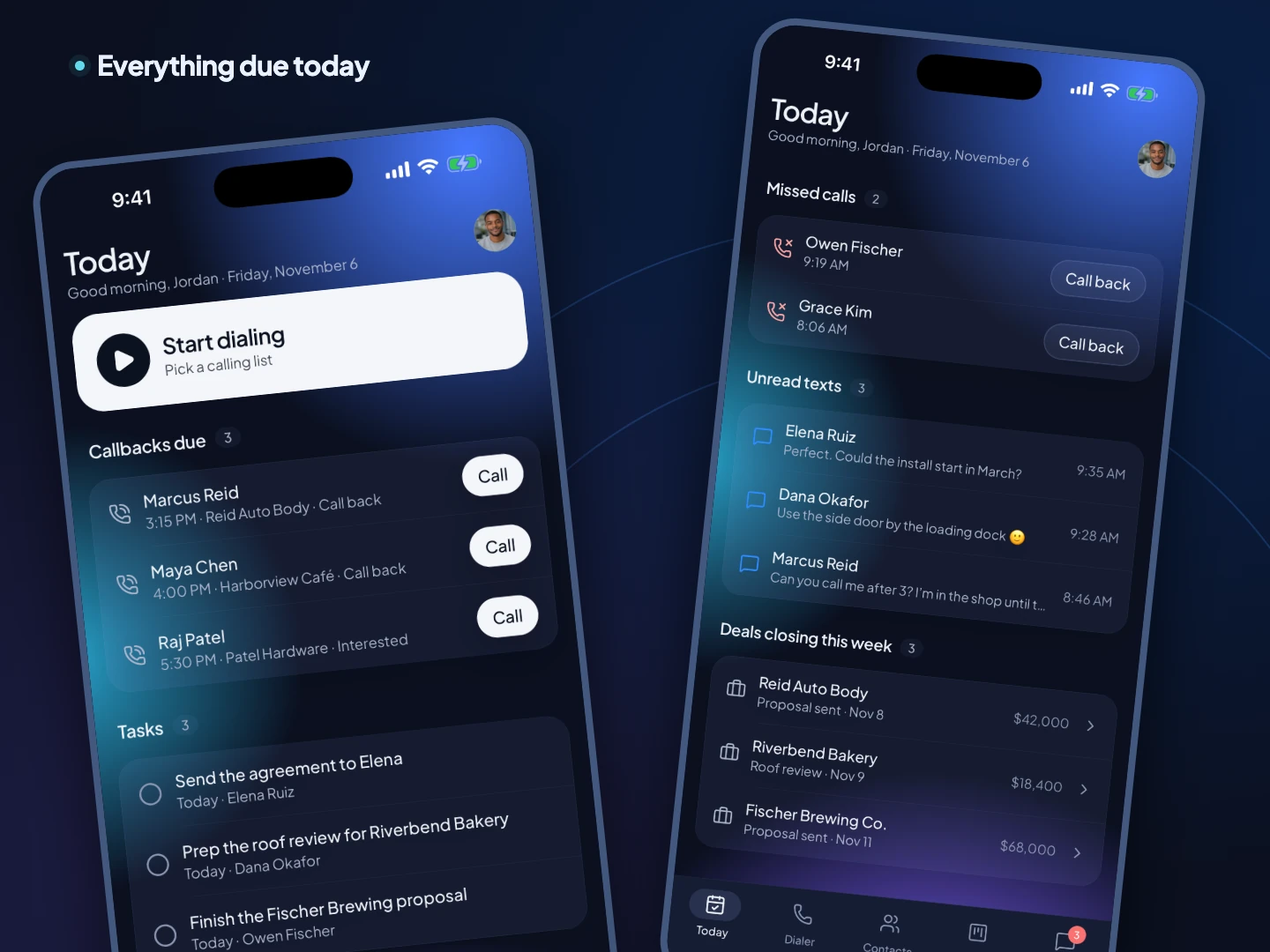
Callbacks, tasks, missed calls, unread texts and the deals closing this week, in one list. Open it in the morning and work it top to bottom.
Contacts and deals
The CRM in your hand
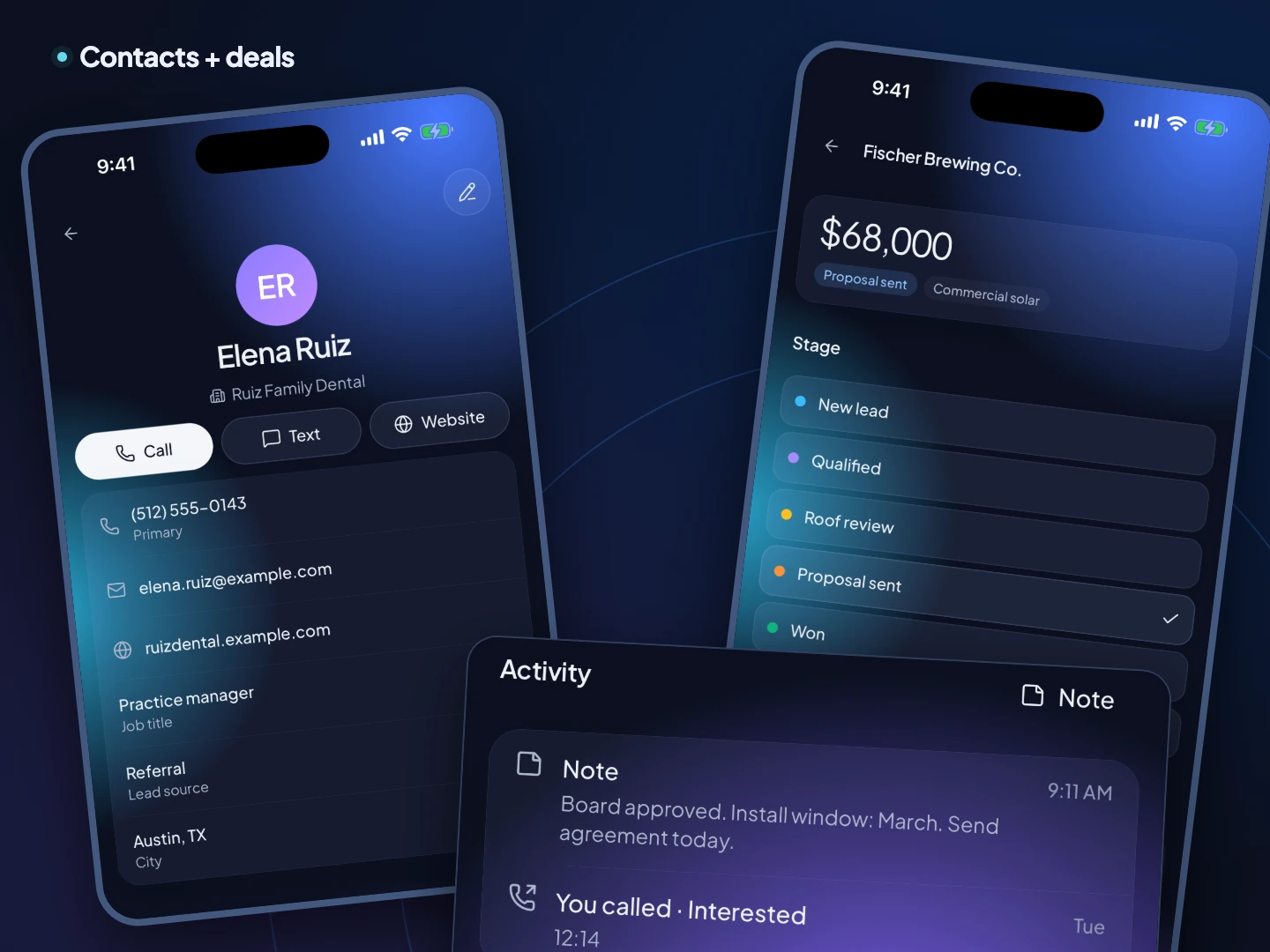
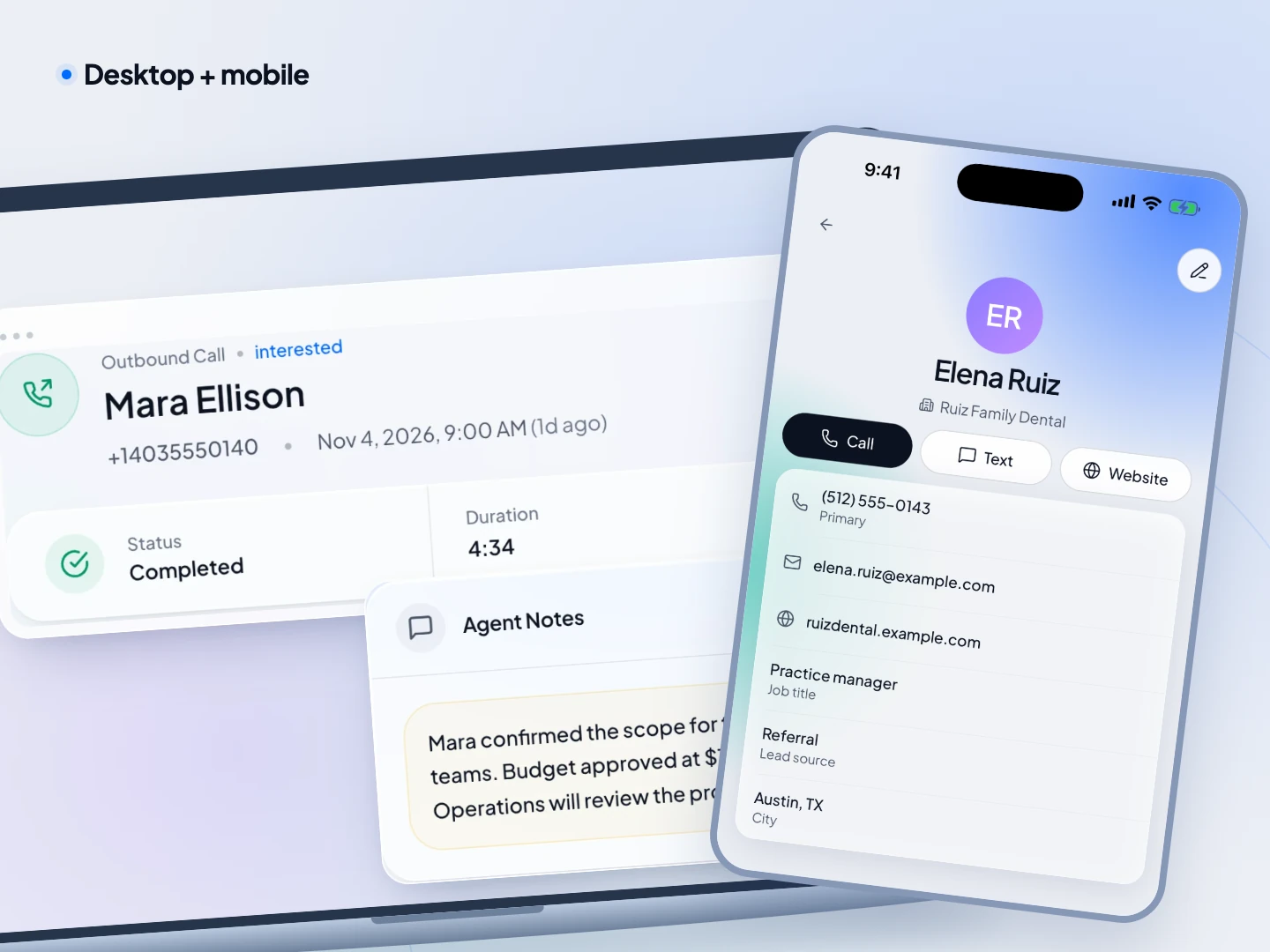
Every contact shows their calls and notes, so you walk into each conversation ready, and their texts are in the inbox. Move deals through your pipeline and update the value and close date in a tap.
See the CRM →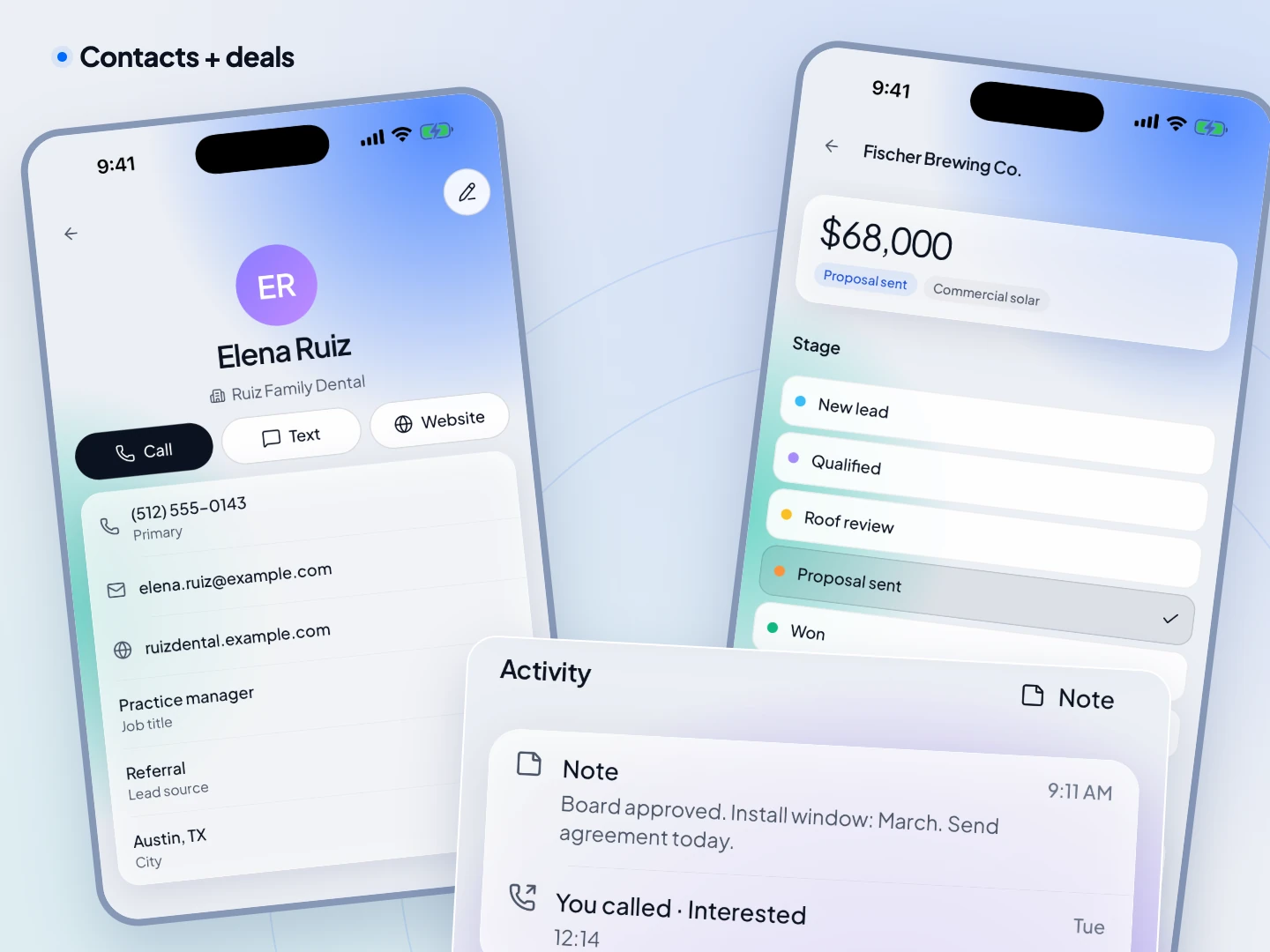
Every device
Start on the laptop, finish on the phone
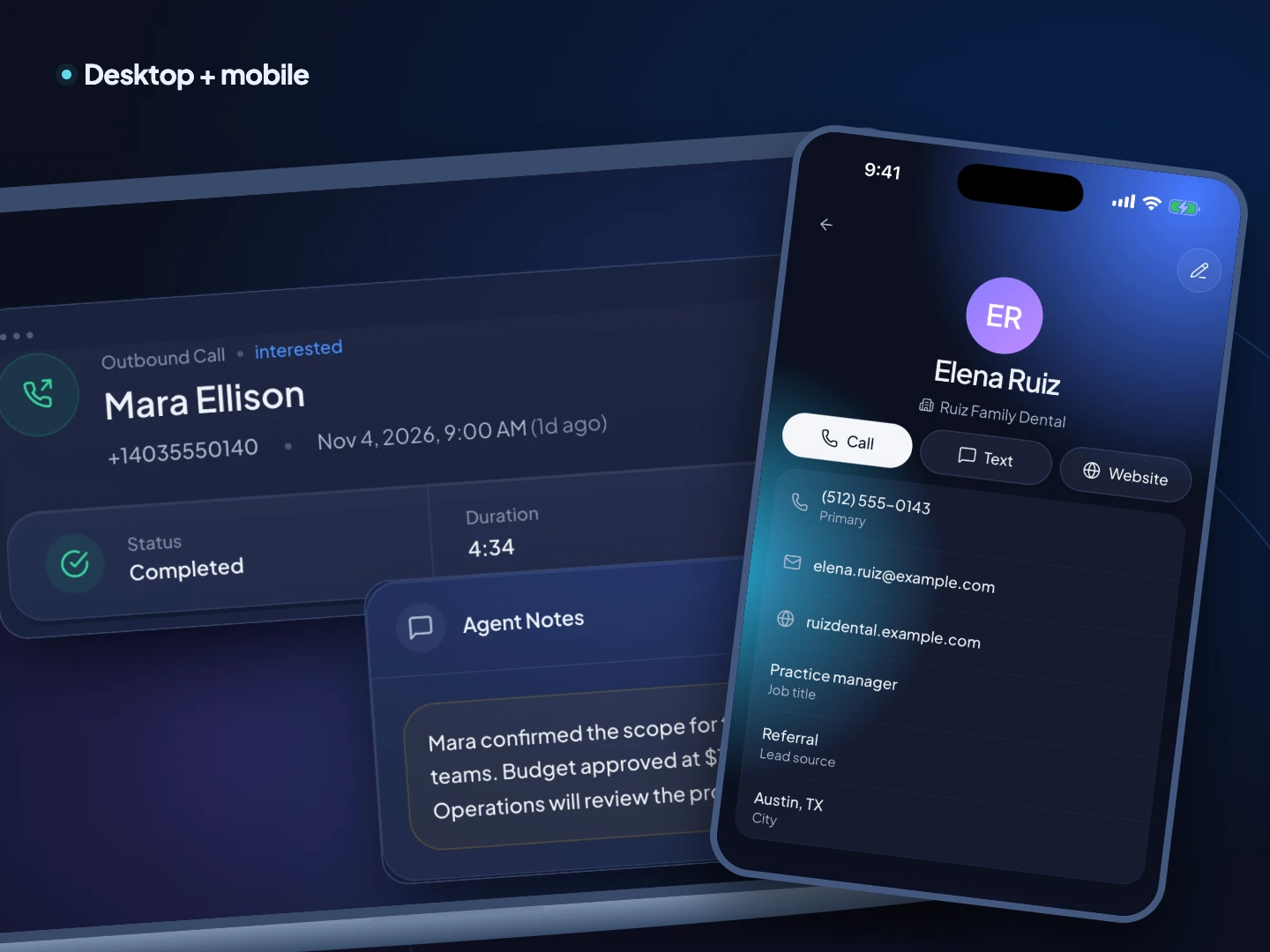
It's one workspace. The contacts, deals, call history and conversations on your phone are the same ones on the web, always in sync, so there's nothing to export or copy.
Built for the field
For reps who live between appointments
Agents, brokers and field reps make their calls from wherever they are. The app keeps their list, their script and their numbers with them.



How it compares
What other phone apps can do
Most sales phone apps can't run a dialing session from the phone at all. Each row comes from that company's own pricing page, help docs or app listing, checked on the date below.
| App | Power dial on the phone | Parallel dial on the phone | CRM and deals in the app | Which plan has the dialer |
|---|---|---|---|---|
| TopReach | Yes | Yes | Yes: contacts, deals, Today | Every seat with the $99 phone license: every mode, 3,000 minutes |
| Dialpad | Not stated on their site | Not stated on their site | No | Support plans (from $89 per user a month billed annually) |
| Aircall | No | No | No | Professional ($50 per license a month billed annually, $70 monthly) |
| JustCall | Yes, in a separate app | No | No | Pro ($49 per user a month billed annually, $69 monthly) and up |
| Kixie | Not stated on their site | Not stated on their site | Contacts from the connected CRM | Multi-Line PowerDialer for multi-line dialing |
| RingCentral | Not stated on their site | Not stated on their site | No | RingCX (from $65 per user a month billed annually) |
| Quo | No | No | Contacts with custom properties, shared inboxes and internal… | No plan includes a dialer |
| Close | No | No | Yes | Growth or Scale |
| HubSpot | No | No | Yes | HubSpot Calling needs a Sales Hub or Service Hub Starter, Professio… |
| Orum | Not stated on their site | Not stated on their site | No app | Included in the plan |
| Nooks | No app | No app | No app | Not stated |
| PhoneBurner | Only with a computer running | No | No app | Power dialing on every plan |
| CallHub | Yes | Yes | No | All dialer modes are available in Call Center campaigns |
What each company's own pages say
- Dialpad
- Power dialing on the phone: Not stated on their site. Dialpad's Mobile Apps FAQs and its Dialer help articles don't say whether Power Dialer or Dialer campaigns can be worked from the mobile app, and the App Store listing doesn't mention a dialer.
- Parallel dialing on the phone: Not stated on their site (same sources).
- In the app: No CRM. The listing says contact profiles can show 'details from your CRM'; Dialpad connects to Salesforce, HubSpot and Zoho.
- Dialer plan: Power Dialer: Support plans (from $89 per user a month billed annually). Dialpad Dialer: 'you must be on a Dialpad Sell Premium plan or Dialpad Support with the Dialer Add-on' (add-on price not stated).
- Aircall
- Power dialing on the phone: No. Aircall's help center: 'Mobile devices using the Aircall application cannot use the Power Dialer.' It runs in the desktop app and the web app.
- Parallel dialing on the phone: No. Aircall has no multi-number dialer on any device.
- In the app: No CRM. The listing mentions business contacts on the go and logging calls to '100+ CRM or Helpdesk integrations'.
- Dialer plan: Professional ($50 per license a month billed annually, $70 monthly).
- JustCall
- Power dialing on the phone: Yes, in the separate Sales Dialer app: 'Currently, the app supports only Power Dialing campaigns. Other dialing modes will need to be accessed from the web version.' JustCall recommends creating campaigns on the web portal first.
- Parallel dialing on the phone: No. Predictive and multi-line modes are web only, per the same help article.
- In the app: No deals pipeline. The Sales Dialer app shows a dashboard, campaigns, call logs and notes. (The JustCall app listing mentions an 'in-built CRM, rating system and integrations', while the pricing page sells CRM integrations.)
- Dialer plan: Power dialer: Pro ($49 per user a month billed annually, $69 monthly) and up. Predictive and multi-line dialing: SalesPro, quote only.
- Kixie
- Power dialing on the phone: Not stated on their site. The iOS listing describes calls and SMS with your CRM contacts and doesn't mention the PowerDialer; Kixie's help center describes the PowerDialer in the PowerCall Chrome extension and web dashboard and doesn't mention mobile.
- Parallel dialing on the phone: Not stated on their site.
- In the app: Contacts from the connected CRM: 'Your CRM contacts (from Salesforce, Hubspot, Pipedrive, Insightly, PipelineDeals, and many more) are available to you in the Kixie app'. Kixie is not a CRM.
- Dialer plan: Multi-Line PowerDialer for multi-line dialing; prices are quoted per team.
- RingCentral
- Power dialing on the phone: Not stated on their site. The app listing describes calls, messages, meetings, contacts and voicemail, with no dialer; RingCentral's pages don't say RingCX dialer campaigns run in the mobile app.
- Parallel dialing on the phone: Not stated on their site.
- In the app: No CRM. The listing mentions 'contacts, call history, and voicemail in one place'.
- Dialer plan: RingCX (from $65 per user a month billed annually). The pricing page doesn't say which RingCX tier includes which dialer mode.
- Quo
- Power dialing on the phone: No. Quo has no dialer, and its Fair Use Policy bans auto-dialers.
- Parallel dialing on the phone: No.
- In the app: Contacts with custom properties, shared inboxes and internal notes ('a mini CRM' in the listing), plus tasks (Starter: up to 10 open tasks). No deals pipeline is described on the pricing page.
- Dialer plan: No plan includes a dialer.
- Close
- Power dialing on the phone: No. Close's help center lists under Not Supported: 'Outbound calling using Power or Predictive Dialer - use the Close desktop app if you need to use the dialer.' One-off calls from a lead's Details tab work.
- Parallel dialing on the phone: No. The Predictive Dialer is desktop only (same help article).
- In the app: Yes: inbox, leads, contacts, opportunities (drag to change status), tasks, notes, SMS, bulk actions, workflow enrollment, and three reports. Account settings are not available on mobile.
- Dialer plan: Power Dialer: Growth or Scale. Predictive Dialer: Scale.
- HubSpot
- Power dialing on the phone: No. HubSpot's help center describes calling one contact at a time from a task, record, search result or home-screen widget, through your mobile carrier or the HubSpot Calling tool. Call tasks can be added to a queue and opened from 'Queues' in the app, but no automatic dialing is described.
- Parallel dialing on the phone: No. Not described in HubSpot's mobile help.
- In the app: Yes. The listing says 'Every contact, deal, and email is right there when you need it, no desktop required.' Tasks, queues and call logging (notes, outcome, follow-up task) are in the app.
- Dialer plan: HubSpot Calling needs a Sales Hub or Service Hub Starter, Professional or Enterprise subscription and a Sales or Service seat. Calling minutes are a shared pool per account per month: 500 (Starter), 3,000 (Professional), 12,000 (Enterprise); Professional and Enterprise Super Admins can buy more.
- Orum
- Power dialing on the phone: Not stated on their site.
- Parallel dialing on the phone: Not stated on their site.
- In the app: Not applicable: Orum isn't a CRM and lists no mobile app.
- Dialer plan: Included in the plan; pricing is 'based on package type and number of users'.
- Nooks
- Power dialing on the phone: No app. Nooks's help center describes a 'Dial in via Phone' option that routes call audio through your cellphone while you run the Nooks Dialer on your computer.
- Parallel dialing on the phone: No app; see above.
- In the app: Not applicable: Nooks isn't a CRM and lists no mobile app.
- Dialer plan: Not stated; pricing is by custom quote.
- PhoneBurner
- Power dialing on the phone: Only with a computer: 'You can use a mobile/cell phone to dial from to complete a dial session while running Phoneburner on your computer or laptop.' Using PhoneBurner in a phone's browser 'is not recommended' and needs desktop mode.
- Parallel dialing on the phone: No.
- In the app: No app.
- Dialer plan: Power dialing on every plan.
- CallHub
- Power dialing on the phone: Yes. CallHub's help center has 'How to make calls using a Power Dialer from the CallHub mobile app': the agent taps Start Calling, fills in the survey, disposition and notes, then taps 'Save and Next'.
- Parallel dialing on the phone: Yes. The Auto Dialer runs in the app at 1:1, 2:1 or 3:1: '2:1 - In this case, CallHub will call two contacts automatically as soon as the agent finishes the call. CallHub will connect the agent with the call that is answered first.' The Predictive Dialer also runs in the app.
- In the app: No deals or pipeline. Agents see the script (with branching), survey questions, dispositions, notes, contact details and interaction history, and can tag contacts and schedule callbacks. Data syncs to external tools such as NGP VAN, NationBuilder, Action Network and Salesforce. Campaigns are created on the web.
- Dialer plan: All dialer modes are available in Call Center campaigns; CallHub lists Power, Auto, Predictive and Preview (help center) and FastClick (auto dialer page).
Pricing
The app comes with every seat
There's no mobile add-on. Each seat includes the web and phone apps, and each person who calls has the $99-a-month phone license that covers every dialer mode, local presence and 3,000 minutes, on any device.
- Seat, web and phone apps
- $55 a month
- Phone license per caller
- $99 a month
- Mobile app
- Included
FAQ
Questions about the app
Keep reading
- Mobile parallel dialer Ring several leads at once from your phone.
- Power dialer app Power dial from iPhone and Android.
- Second business number Your business line on your cell.
- Business phone app with CRM Calls, texts and deals in one app.
- Mobile sales dialers compared What each app can do from the phone.
- Power dialing on iPhone Why most iPhone auto dialers don't really dial.

Take your call list with you.
Start a 14-day free trial on the web, then sign in on your phone with the same account.